
Use truly isolated backups (air-gapped or immutable) plus a practiced recovery plan to bounce back from ransomware in under 24 hours. Key steps include keeping one copy unreachable by malware, executing a rapid restore workflow, containing the attack early, and routinely testing your backups. This guide outlines the methods (air-gaps, WORM storage, vaults), workflows, testing cadence, and pitfalls so healthcare clinics, law firms, and SMBs can recover fast.
Table of Contents:
- What is Ransomware and Backup Isolation?
- Why Traditional Backups Fail Ransomware Attacks
- 5-Part Ransomware Recovery Framework
- Isolation Methods: Air-Gaps and Immutable Storage
- Rapid Recovery Workflow
- Detection & Containment Before Recovery
- Recovery Testing Cadence
- Common Pitfalls to Avoid
- Backup Methods Comparison Table
- Actionable Checklists
- Setting Up Isolated Backups
- Recovery Testing Workflow
- First 60 Minutes of a Ransomware Incident
- FAQs
What is Ransomware and Backup Isolation?
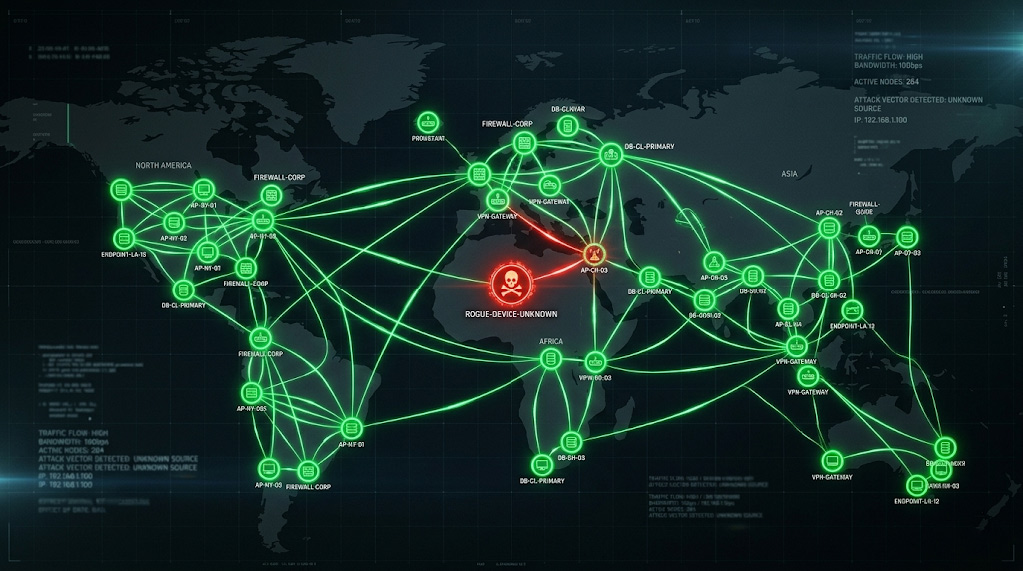
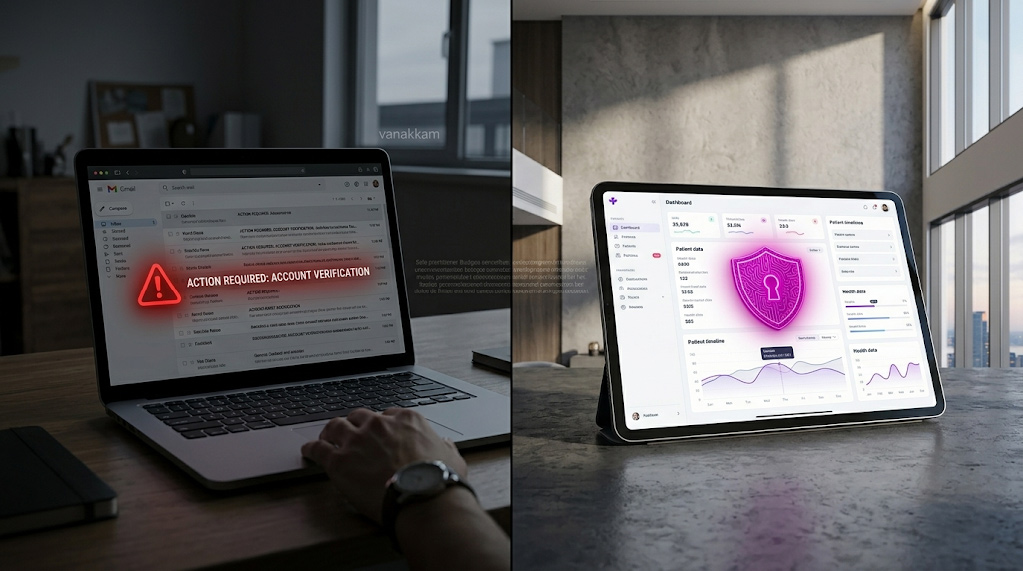
Ransomware is malicious software that encrypts your files or systems and demands payment for a decryption key. In practice it locks you out of your own data – for example, healthcare records or legal files – and attackers extort a ransom, often in cryptocurrency, to restore access. Modern ransomware attacks often exfiltrate data and even target backup systems to force victims into paying.
Backup isolation means keeping at least one backup copy completely out of reach of attackers. This can be done physically (like an offline tape stored offsite) or logically (using write-once, read-many storage with strict access controls). The goal is a “golden copy” that ransomware cannot encrypt or delete. For example, an air-gapped backup is one stored on media or in a vault that is not continuously connected to your network, so malware can’t reach it. An immutable backup uses write-once storage (WORM) so that once data is written, it cannot be altered or erased until its retention period expires. In short, backup isolation means one copy of your data is kept in a tamper-proof “vault” – physically or logically – so you always have a clean version to restore from.
Why Traditional Backups Fail Ransomware Attacks
Even with backups, many businesses still end up crippled by ransomware. Attackers know to go after backups first. In fact, studies show over 90% of ransomware attacks target backup repositories directly, hoping to eliminate your recovery options. Without isolation, backups themselves can be encrypted or erased. One report found 74% of attacks successfully compromised backup systems, and most IT teams couldn’t quickly tell which restore points were safe. The result: only about 7% of organizations manage full recovery within 24 hours; most endure weeks of downtime instead.
Common reasons backups fail during an attack include:
- Connected Backups: If backups are accessible on your network or cloud without extra protections, ransomware can spread to them. For example, if network shares or snapshot systems don’t have malware scanning or isolation, attackers encrypt those too.
- No Isolation: Backup systems without access controls or separation from primary systems are vulnerable. If malware can traverse into your backup environment, it may encrypt all copies.
- No Verifiable “Clean” Copy: If every backup is potentially infected, you can’t be sure a restore point is safe. Teams then guess whether a snapshot is clean or not, delaying recovery.
- Lack of Testing: Sometimes backups exist but haven’t been tested. You might discover corrupt or incomplete backups only when trying to restore. In complex attacks, finding a valid backup can take precious days.
In short, without intentional isolation, “backup” often just means another target. Relying on conventional backups alone leaves most organizations stranded – they fight to rebuild systems manually or negotiate with hackers, costing millions in downtime.
5-Part Ransomware Recovery Framework
To recover in under 24 hours, follow a clear framework. This five-part plan ensures you keep safe backups and can restore them quickly:
Isolation Methods: Air-Gaps and Immutable Storage

First, isolate your backups so ransomware cannot reach or alter them. There are several proven methods:
- Air-gapped Backups: Keep one copy completely offline or on a separate network segment. For example, write backups to tape or removable media and store them in a secure facility (offline “air-gap”). With no network connection, ransomware cannot encrypt an offline tape. Air-gaps can also be logical: specialized software enforces an “air gap” even on connected hardware. (See sidebar.)
- Immutable Backups: Use write-once media or storage that locks files for a set retention period. Many modern systems offer immutable storage – once data is written, even admins cannot delete it until expiry. Examples include AWS S3 Object Lock or special backup appliances. This ensures backups stay unchanged and untouchable, creating a “logical air gap” without needing to physically disconnect media.
- Vaults and WORM Storage: Some vendors provide backup vaults with built-in lock policies. These vaults encrypt and time-lock backups, often with separate management accounts. For instance, AWS offers a “logically air-gapped vault” that isolates backups and allows direct restore without copying data. The vault by default is write-protected (locked), so ransomware can’t erase its contents.
- 3-2-1-1-0 Rule: As a best practice, follow the 3-2-1-1-0 backup rule: keep 3 copies of your data, on 2 different media, with 1 offsite copy, 1 immutable/offline copy, and verify there are 0 errors. This ensures no single failure or breach wipes out every backup.
Combining these methods fortifies your backups. For example, you might keep daily backups on a local server (fast restore), replicate to cloud object storage with S3 Object Lock enabled, and also write weekly backups to tape stored offsite. That way, even if ransomware hits your network, the tape (and immutable cloud copy) remain safe.
Rapid Recovery Workflow

Having isolated backups is only half the battle. You also need a well-rehearsed recovery workflow to get systems running quickly:
- Pre-define Roles and Actions: Know who on your team will do what. Identify decision-makers and technicians who will manage the recovery. Document contact lists and step-by-step playbooks. During an incident, clear roles prevent confusion.
- Prioritize Critical Systems: Decide which servers and services are most vital (e.g. patient records, billing, or core office systems). Restore these first. For example, bring up a clean Active Directory and file server before less-critical databases.
- Clean Recovery Environment: Create a temporary network or virtual environment for recovery. This “clean room” should be isolated from compromised systems. For instance, spin up a separate VLAN or use cloud VMs to restore data, so you don’t accidentally re-infect restored servers.
- Automated Restore Tools: Use backup software that can mount or virtualize backups directly. Some solutions (like ConnectWise AirGap) boast restoring core data in as little as 15 minutes once started. Even if you don’t have specialized tools, plan to use scripts and disk imaging to speed up restores.
- Step-by-Step Failback: Begin restoring data (mail, files, apps) to the clean environment. Work in waves: first bring the environment online with sanitized data, then reconnect users one group at a time. Verify each service as it comes online. The goal is business continuity, not perfection – patch up or rebuild less important things later.
With practice, this workflow can indeed cut restoration time sharply. Industry reports note that well-prepared organizations recover in minutes for key systems, whereas unprepared ones take days to weeks. Automation and planning make the difference.
Detection & Containment Before Recovery
Stopping the attack early saves precious recovery time. Before you restore anything, do the following:
- Isolate Infected Systems: The moment ransomware is detected, disconnect affected machines from the network (unplug Ethernet, disable Wi-Fi, etc.). This stops lateral spread to file shares or backup systems. For example, a hospital should immediately unplug the infected workstation and stop backup jobs so the malware doesn’t encrypt recent backups.
- Preserve Evidence: Do not power down or erase encrypted PCs. They contain clues (ransom note details, disk images) that may help forensic experts or decryption. Instead, note the ransom note content and file extensions (some known decryptors exist) before wiping.
- Activate Response Plan: Contact your incident response team or external help (e.g. Arann Tech). Alert leadership, legal, and potentially regulators (HIPAA rules may apply for healthcare). The faster you start IR processes, the faster you can pivot to recovery.
- Scan and Verify Backups: Check your isolated backups for malware before use. Run antivirus or integrity scans on the backup copies themselves if possible. Some backup systems allow scanning or hashing backup files. This ensures you restore from a truly clean recovery point, not one infected by dormant malware.
By containing the attack first, you prevent reinfection during restore. As one cybersecurity expert put it: “Isolate first, recover second.” Disconnecting networks and pausing replication may seem drastic, but it ensures ransomware doesn’t ride the recovery wave into your clean backups.
Recovery Testing Cadence
Even the best plan needs practice. Regular recovery testing proves that your backups work and that your team can execute the plan:
- Schedule Routine Drills: Test restores at least quarterly; monthly is even better. That means picking a point-in-time backup and doing a full “mock” recovery. Make it as realistic as possible: restore to an isolated environment, bring up servers, and verify applications work.
- Automate Verification: Wherever possible, use software to automate checks. Backup tools often have “recovery verification” or “synthetic restore” features that periodically validate backups. Automation ensures you’re alerted if a backup is corrupt or incomplete.
- Measure RTO/RPO: During tests, measure how long it takes to recover (Recovery Time Objective) and how much data is lost (Recovery Point Objective). This lets you adjust the plan if, say, a monthly test shows you can’t meet your RTO of 24 hours.
- Update Plan Based on Tests: Each test should reveal improvements. Fix any gaps found (e.g. missing credentials, outdated documentation). The ObjectFirst guide emphasizes that an immutable backup that isn’t tested is just an illusion. In practice, ensure zero backup errors by automating and documenting clean-room restores.
Consistent testing not only confirms your backups, but also trains personnel. When an incident hits, the team won’t be learning on the fly—they’ll have a practiced routine, greatly speeding up real recovery.
Common Pitfalls to Avoid
Even with good intentions, organizations often slip up. Here are key pitfalls to avoid:
- Relying on Live Snapshots Alone: Instant snapshots are fast to recover, but if not isolated they can be infected too. Don’t use only on-prem snapshots without an immutable/offline copy.
- Skipping the “Isolated Copy”: Forgetting an offline or WORM copy is a grave mistake. If your only backups are online or rewritable, ransomware may delete them. At minimum, ensure one copy is immutable or offline.
- Infrequent Testing: Many teams create backups and never restore them. Without regular testing, you might discover backup failures only after an attack. This is like not rehearsing fire drills – avoid it.
- Lax Access Controls: Even an immutable vault can be compromised if an attacker steals credentials. Always enforce MFA, separate backup admin roles, and network segmentation so backups are unreachable from user networks.
- Paying Ransom Prematurely: Relying on decryption keys is risky. Instead of deciding on paying a ransom, focus energy on restoring from safe backups. (Consult legal counsel and authorities when considering any payment.)
- Ignoring Detection: Don’t wait until after encryption to notice an attack. Missing early signs of ransomware (strange file changes, spike in disk encryption) can let it spread. Integrate anomaly detection if possible.
Avoiding these pitfalls means your recovery efforts aren’t undermined by false assumptions. Remember: isolation + testing + containment = speed.
Backup Methods Comparison Table
| Backup Method | Recovery Speed | Ransomware Resistance | Cost |
| Local Disk/NAS | Very Fast (minutes) | Low (networked, editable) | Low |
| Cloud Backup (standard) | Moderate (hours) | Medium (can be encrypted) | Medium |
| Immutable Cloud (Object Lock) | Moderate (hours) | High (write-once) | Medium-High |
| SAN/Storage Snapshots | Fast (seconds-minutes) | Very Low (admin can modify) | Low |
| Tape / Offline Media (Air-gap) | Slow (days) | Very High (offline) | Low (media cost) |
| Logical Air-Gap Vaults (e.g. Cohesity FortKnox) | Fast (minutes) | Very High (locked+isolated) | High |
Note: “Speed” assumes a practiced restore plan. For example, rolling back a SAN volume takes minutes, whereas offsite tape can take days. However, air-gapped or immutable methods (bottom rows) greatly boost ransomware resistance. Proper planning can make even “slow” media recoverable within a business day.
Actionable Checklists

Setting Up Isolated Backups
- Apply the 3-2-1-1-0 Rule: Ensure at least 3 copies on 2 media types, with 1 offsite and 1 immutable or offline.
- Choose Immutable Storage: Use write-once options. For example, enable S3 Object Lock in cloud storage or use backup software that writes to a hardened WORM repository.
- Implement Air-Gaps: Physically or logically isolate one backup location. This could mean nightly tape backups stored offsite, or a dedicated backup server network with no SMB/NFS connections.
- Secure Access Controls: Require multi-factor authentication (MFA) and least-privilege accounts for backup admins. Segregate the backup network from your main domain so that a domain breach can’t spread to backups.
- Encrypt and Document: Encrypt backups at rest and in transit, and keep keys separate. Document the backup environment, retention policies, and recovery procedures so anyone on the response team can follow them.
Recovery Testing Workflow
- Schedule Regular Drills: Plan quarterly (at minimum) recovery tests. Simulate a ransomware event and restore systems from backups in an isolated environment.
- Verify Data Integrity: After each backup, run automated integrity checks (checksums, malware scans) to ensure no corruption or hidden malware.
- Document Restoration: During tests, record how long each step takes and fix any snags. Veeam advises automating and documenting “clean-room” restores so you’re not guessing under pressure.
- Include Applications: Don’t just restore files – test application servers, databases, and business workflows. Validate logins, data consistency, and critical functions in the restored environment.
- Refine Plans: Adjust your RTO/RPOs based on test results. If a test took 30 hours instead of the target 24, identify bottlenecks (e.g. network bandwidth, manual steps) and improve them.
First 60 Minutes of a Ransomware Incident

- Confirm & Contain: Identify the infected host(s). Immediately disconnect them from the network (unplug or disable network interfaces). Disable Wi-Fi, remove VPN access, and pause any running backup jobs or replication tasks to stop spread.
- Alert Your Team: Notify IT/security leadership and your cyber response partners (for example, Arann Tech). Activate your incident response plan. Clear communication is critical; designate a command and control channel (phone bridge or secure chat).
- Assess the Scope: Check which systems show encryption or ransom notes. Determine if any clean backups remain untouched. (Do not power off infected machines – leave them for forensic analysis if possible.)
- Gather Forensics: Save copies of the ransom note and affected filenames. Take memory and disk images if you have the expertise or third-party help. Document timestamps – this information may help recovery experts and may be needed for compliance.
- Begin Recovery Prep: If you have confirmed a clean backup, prepare your recovery environment (e.g. spin up new servers in isolation). The fastest recovery often starts within the first hour after containment. Meanwhile, keep stakeholders updated on next steps.
These steps buy you time and clarity. Even in chaos, having this checklist prevents costly missteps. In practice, swift containment (especially disconnecting systems) is what kept some companies restoring operations within minutes to hours rather than days.
Disclaimer: This guide is for informational purposes only and does not constitute legal, financial, or technical advice. The framework and checklists provided are generalized best practices and do not guarantee the detection of all security vulnerabilities or the prevention of data breaches. M&A transactions involve complex liabilities; “clean” technical findings do not absolve organizations of regulatory obligations under HIPAA, GDPR, or other statutes. Arann Tech assumes no liability for undetected breaches, pre-existing compromises, or penalties incurred during or after a merger integration. We strongly recommend engaging qualified legal counsel and conducting a formal Compromise Assessment before finalizing any transaction.
Partner with Arann Tech

Don’t wait for the next attack to find out if your backups work. Arann Tech specializes in ransomware recovery planning for healthcare clinics, law firms, and SMBs. We help you implement air-gapped and immutable backup solutions, document a rapid restore workflow, and conduct realistic recovery drills. Our experts also provide 24/7 monitoring and response support, so you’re never facing ransomware alone.
Act now: let Arann Tech audit your current backup strategy, set up isolated vaults, and train your team. We’ll help you meet aggressive recovery objectives and maintain compliance (HIPAA, etc.). With Arann Tech as your partner, you’ll have confidence that a clean backup is always ready – and a clear plan to be back online in under 24 hours after a ransomware incident. Sources: Authoritative industry research and expert guides on ransomware recovery. These include vendor and analyst insights on backup isolation, recovery frameworks, and testing best practices.
FAQs
1. Is recovering in under 24 hours actually realistic? A: Yes, but only with isolated backups and a practiced plan. Industry data shows that organizations relying on standard backups often face weeks of downtime because the backups themselves get infected. Companies that achieve the 24-hour target are those that can immediately switch to a clean, immutable restore point without having to verify every single file manually.
2. How often should I test my recovery plan? A: At least quarterly, though monthly is ideal. Crucially, don’t just “check” that the backup file exists—perform a full mock recovery. Restore a critical server to an isolated environment and verify that applications actually launch. If you aren’t testing the restore, you aren’t testing the backup.
3. What if my organization has no in-house IT team? A: You can still achieve this level of security by partnering with a managed service provider (MSP). A firm like Arann Tech can design the architecture, manage the offsite/immutable vaults, and execute the recovery drills for you. This allows non-technical leadership to meet compliance standards without hiring full-time security staff.
4. If we have isolated backups, should we ever pay the ransom? A: Paying is a last resort and is generally discouraged by the FBI and security experts. It does not guarantee you will get your data back, and it may be illegal if the attacker is sanctioned. With a verified Isolated Backup strategy, you remove the leverage attackers have, allowing you to restore your own data without funding criminal organizations.
5. Do I need both “Air-Gapped” and “Immutable” backups? A: Ideally, yes. They protect you in different ways. Immutability (software locks) stops hackers from deleting files remotely. Air-gapping (offline media) physically removes the data from the network, protecting it even if a hacker gains total administrative control. Using both (the 3-2-1-1-0 rule) provides the highest possible resilience against modern ransomware.