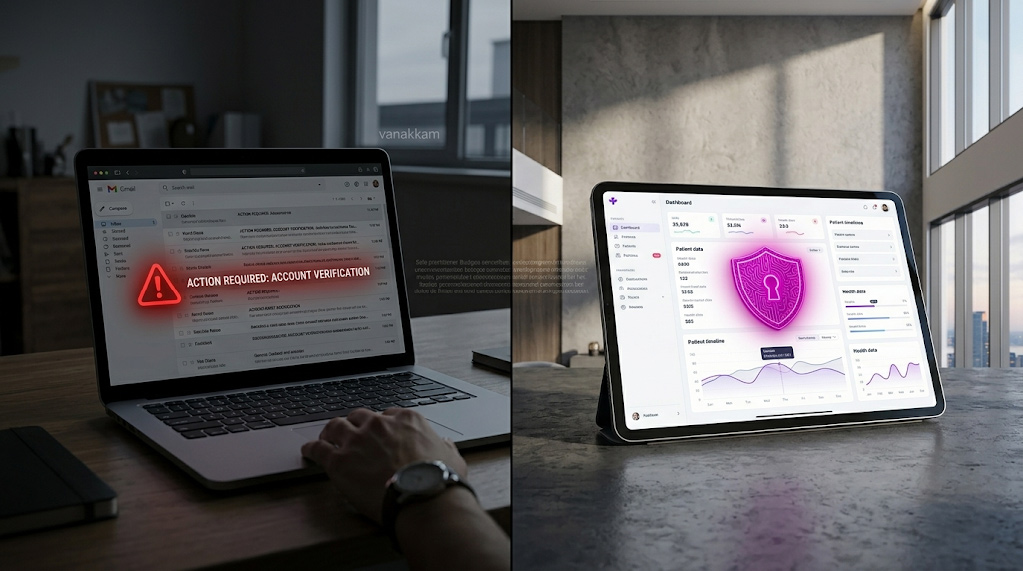
The Reality Check: Why “Good Enough” Costs $50,000
If you think HIPAA compliance is just about keeping patient files locked away, you are operating on outdated, high-risk logic.
What is HIPAA compliance?
HIPAA compliance is not a static goal; it is a continuous state of governance. To the Office for Civil Rights (OCR), compliance means providing auditable, technical proof that you are protecting the confidentiality, integrity, and availability of patient data 24/7.
Why is HIPAA important?
The financial stakes are massive. The minimum fine for Willful Neglect (knowing a risk exists and failing to correct it) is $50,000 per violation. The annual penalty cap for this tier can reach $1.5 million under current enforcement discretion.
The Cost of a “Small” Mistake:
As verified in 2024, a small behavioral health practice settled for $40,000 following a ransomware attack. Their penalty was not just for the hack, but for the fundamental failure to conduct a formal Risk Analysis—a core technical requirement of the Security Rule.
Myth vs. Fact: The Dangerous Misconceptions
| The Myth | The Dangerous Reality |
| “We use Gmail, so Google secures it.” | FALSE. Standard Gmail is not compliant. You must use the paid Workspace edition and accept the BAA amendment. Google’s BAA in the Admin Console. |
| “My IT consultant handles everything.” | FALSE. You are the Covered Entity. If your consultant has PHI access, they must sign a BAA, and you must audit their performance. |
| “Cloud storage is automatically safe.” | FALSE. AWS/Azure/Google Drive operate on a Shared Responsibility Model. They secure the physical cloud; you are responsible for the encryption and access controls of the data you put in it. |

The ‘Missed Audit’ Checklist: 5 Stop/Go Technical Controls
Most audits fail on overlooked technical requirements. This checklist is based on common OCR enforcement actions and the requirements of the Security Rule.
1. Patient Emailing and Encryption
- STOP: Emailing lab results or clinical summaries from a standard, unencrypted mailbox.
- GO: Implement an encrypted email gateway or a secure patient portal with audit logging.
- Penalty Risk: Unauthorized Disclosure. A clear violation of the Technical Safeguard rules.
2. Website Marketing and Tracking Pixels
- STOP: Using the Meta Pixel or Google Analytics on any page where patients input data (e.g., appointment requests or authenticated portals).
- GO: Strip all third-party tracking scripts from sensitive web pages to align with the OCR’s guidance on online tracking technologies.
- Penalty Risk: Third-Party Data Leakage. The OCR views this transmission as an impermissible disclosure to a Business Associate without a BAA.
3. Proof of User Access Control
- STOP: Allowing terminated employees to retain access to email or EMR systems, even for a few hours.
- GO: Implement automated de-provisioning. Access must be revoked instantly and simultaneously across all systems upon termination.
- Penalty Risk: Failure of Access Control. Opens the door to insider data theft and subsequent breach reporting.
4. Vendor Agreement Management
- STOP: Assuming your cloud backup service, medical transcription vendor, or chatbot provider is compliant without a formal contract.
- GO: Maintain a signed and active Business Associate Agreement (BAA) for every single third-party vendor who creates, receives, maintains, or transmits ePHI on your behalf.
- Penalty Risk: Willful Neglect. This is the easiest target for an auditor.
5. Audit Logging and Integrity
- STOP: Relying on audit logs that are stored on the same device or server as the patient data.
- GO: Implement systems to ensure immutable logs are generated and sent to a separate, protected server (a Security Information and Event Management (SIEM) system). This is the only way to meet the Security Rule’s requirements for Audit Controls (§ 164.312(b)) and prove data integrity following a ransomware attack.
- Penalty Risk: Failure to Review Records. If a hacker can delete your logs, you cannot prove what happened, which is itself a violation.
The HIPAA-Compliant Tech Stack Q&A
How can I find HIPAA-compliant email services for healthcare communication?
Direct Answer: Compliance hinges on three non-negotiables: the provider must sign a Business Associate Agreement (BAA), you must enforce strong encryption (TLS/AES), and implement Multi-Factor Authentication (MFA).
The 3-Step Setup:
- Select & Sign: Choose a platform (like Google Workspace or Microsoft 365) and manually sign the required BAA in their administrative console.
- Enforce TLS: Configure your email service to enforce Transport Layer Security (TLS) for all outbound messages.
- Use an Encryption Gateway: Implement a seamless encryption layer (like Paubox) that automates end-to-end security without requiring patient portals.
Pitfall Warning: Even with a BAA, you must still train staff not to place Protected Health Information (PHI) in the email subject line, as some systems log subject lines externally.
How do I set up HIPAA-compliant email marketing?

Direct Answer: You must use a marketing platform that signs a BAA and strictly limit content to “sanitized” information that does not reveal or imply a patient’s health status or condition.
The 3-Step Setup:
- Separate Consent: Obtain explicit, separate written authorization from patients for marketing communications.
- Choose a Compliant Platform: Select a tool (such as HubSpot Enterprise or Paubox Marketing) that provides a BAA and technical safeguards.
- Sanitize Content: Only send generic content (e.g., holiday hours, new staff announcements). Never send specific appointment reminders that mention a diagnosis.
Pro Tip: Never upload a patient list segmented by specific medical conditions (e.g., “Oncology Patients”) into a marketing tool, as that list itself is considered PHI.
How do I choose a HIPAA-compliant CRM for patient data management?
Direct Answer: The CRM must offer Encryption at Rest (data is locked on the server), Role-Based Access Control (who sees what), and provide comprehensive Audit Trails for all data viewing and modification.
The 3-Step Setup:
- Verify BAA and Encryption: Confirm the vendor (e.g., Salesforce Health Cloud, compliant HubSpot tiers) will sign a BAA and guarantee AES encryption of data on their servers.
- Granular Permissions: Set permissions so only authorized clinical staff can access sensitive notes, while non-clinical staff see only names and contact info.
- Integrate Logging: Ensure the CRM’s activity logs are funneled into your main Security Information and Event Management (SIEM) system to consolidate evidence for audit.
The Solution: Continuous Compliance Automation
In the face of the OCR’s aggressive Risk Analysis Initiative, the manual model of checking security once a year is obsolete and negligent.

Continuous Monitoring is the Standard:
Automation replaces the annual “panic audit” with continuous, real-time evidence collection.
How Arann Tech Provides Defensible Compliance
At Arann Tech, our automation framework doesn’t just check boxes; it builds your legal defense file daily.

- Automated Evidence Collection: Our platform integrates with your infrastructure (email, EMR, cloud) via APIs and secure agents. It automatically collects the thousands of logs, BAA status confirmations, and configuration settings required for an audit.
- Instant Risk Scoring: We provide a dynamic, transparent risk score (e.g., 98/100). If a setting is changed (e.g., a laptop’s encryption is disabled), the score drops instantly, triggering an alert and documenting the finding.
- Immutable Audit Trails: All captured data and remediation actions are automatically timestamped and stored in a tamper-proof format, proving to the OCR not only that you fixed the issue, but when you fixed it.
This process moves your practice from a state of vulnerability to a position of defensible governance.
Frequently Asked Questions (FAQ)
- What are HIPAA violations?
Violations are failures to comply with the Privacy, Security, or Breach Notification Rules. They are categorized by tiers, ranging from Tier 1 (Unknowing) to Tier 4 (Willful Neglect), with failures in technical safeguards (like lack of Risk Analysis) being a key target for the OCR.
- Does a small clinic need a Compliance Officer?
Yes. HIPAA mandates the formal designation of a Privacy Officer and a Security Officer. This role must be documented and assigned, even if the same person (e.g., the Office Manager) handles both duties.
- How often should we run a risk analysis?
The Security Rule requires risk analysis “periodically.” Industry best practice is annually or immediately following any significant technological change (e.g., new EMR, office relocation). Automation allows this analysis to run continuously.
- Is text messaging HIPAA compliant?
Standard SMS is not compliant because it lacks encryption and audit controls. Only use secure, encrypted messaging platforms that provide a BAA.
- What is the “Minimum Necessary” rule?
This Privacy Rule concept requires that when accessing or disclosing PHI, you limit the information to the minimum amount required to achieve the intended purpose.
Stop Guessing. Start Proving.
Automated compliance is the only way to prove continuous governance to an auditor.
Book Your Free HIPAA Gap Analysis Call
Disclaimer:
This guide is for informational purposes only and does not constitute legal or compliance advice. HIPAA compliance requirements vary by entity type, jurisdiction, and deal structure. We strongly recommend consulting with a qualified HIPAA compliance officer or legal counsel before making implementation decisions. Arann Tech assumes no liability for penalties incurred as a result of following this guide without professional legal review.