| Key Takeaways • AI-generated phishing emails have no spelling errors, no suspicious links, and no red flags that traditional email filters are built to catch. • Attackers now train custom AI models on your executives’ public writing to perfectly copy their tone, vocabulary, and style. • Standard two-factor authentication (MFA) does not stop these attacks. Only a specific newer type called phishing-resistant MFA does. • Once an attacker gets in through a single employee click, they can gain full control of your network in as little as 72 hours. • Defence requires multiple layers working together: AI threat detection, device verification, behaviour monitoring, and regular staff training. |
THE PROBLEM
Why your email security is failing against AI-generated threats
Security is tested on ordinary days. Not during audits. Not during board presentations. And right now, on ordinary days, AI-generated phishing emails are passing through email filters undetected.
Your email security was built around recognizing known bad senders and flagging clumsy grammar. For years, those two signals were enough to catch most phishing attempts. The problem is that AI has made both of those signals obsolete.
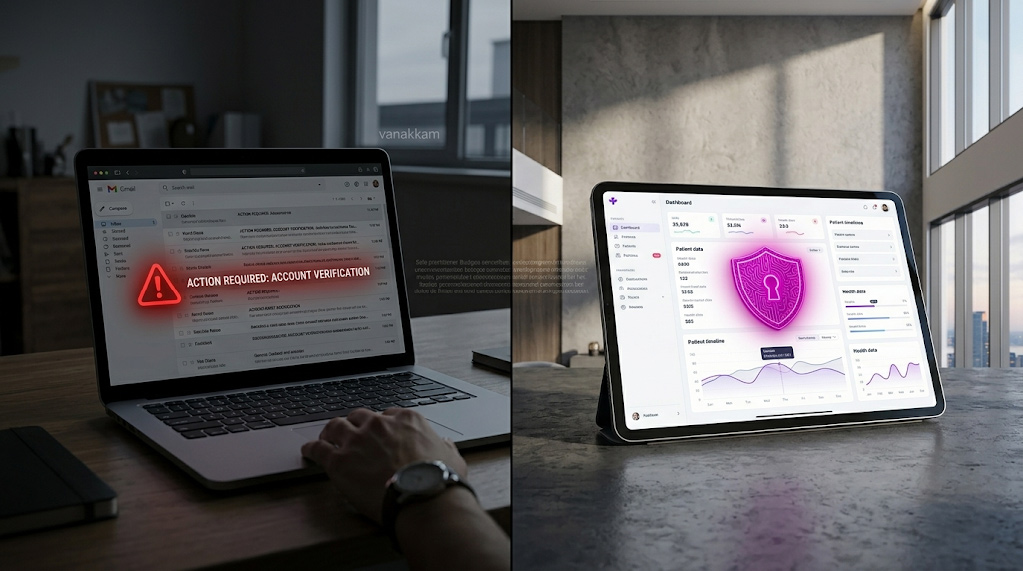
Today’s phishing emails are written by artificial intelligence trained to sound exactly like your colleagues. They come from email addresses that look completely legitimate. They reference real projects and real events happening at your company right now. There is nothing obvious to flag.
This guide explains how it works, why your current defences miss it, and what actually stops it. No technical background required.
THE THREAT
What are deepfake emails, and how are they made?
The term “deepfake” originally referred to AI-generated video that made it look like someone said or did something they never did. In cybersecurity, deepfake emails are the same concept applied to written communication: AI-generated messages that are indistinguishable from real emails written by real people at your organization.
Attackers do not write these manually. They use large language models (LLMs), the same AI writing technology that powers tools like ChatGPT, to generate them automatically and at scale. The difference is that attackers train these tools specifically on your company’s communications, so the output sounds like your own people wrote it.
How attackers train AI on your company’s voice
The process starts with research. Attackers gather your company’s publicly available communications: press releases, LinkedIn posts, published interviews, and anything else written by your leadership team. They feed this into a custom AI model that learns the unique writing patterns of your executives.
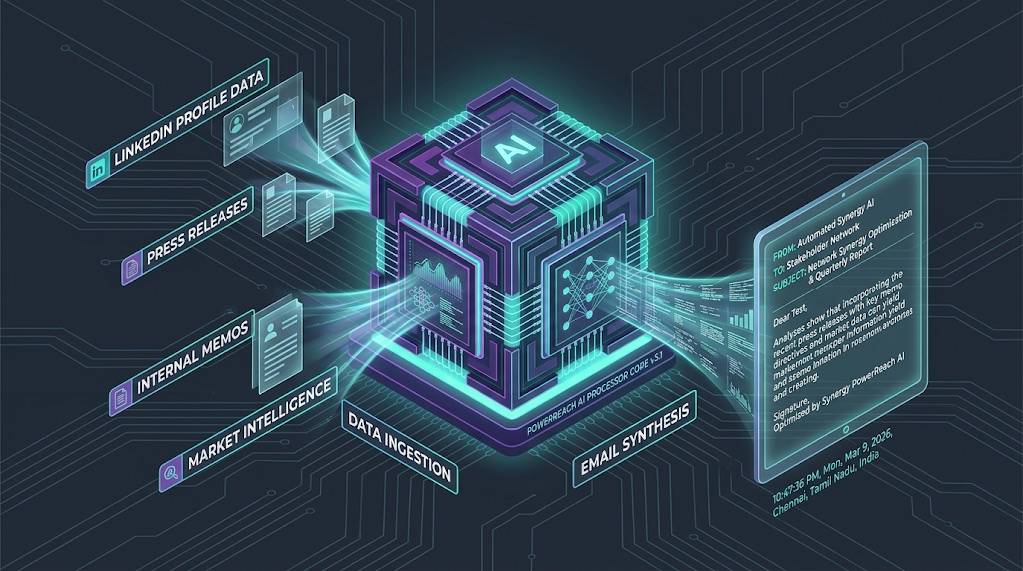
The result is an AI that knows your CFO signs off with “Best” instead of “Regards.” It knows the phrases your CEO uses when discussing vendor relationships. It knows the tone your IT director uses in internal communications. The emails it generates are not just grammatically correct. They are stylistically indistinguishable from the real thing.
Why the links in these emails are so hard to catch
Traditional security tools maintain lists of known malicious websites. When an email contains a link to one of those sites, it gets blocked. AI phishing sidesteps this entirely by using links that lead to legitimate websites that have been quietly compromised, or to clean storage services on major cloud platforms.
By the time your filter checks the link, it looks completely safe. The danger is activated only after your employee clicks it.
How attackers use your own news against you
AI campaigns are designed to be timely. If your company announces a merger, an acquisition, or a new office on Monday, an automated phishing campaign themed around that announcement can be running by Tuesday morning. The email references the real event, which makes it feel credible to employees who are already aware of it. This is what makes these attacks so effective: the context is real, even when the email is not.
| Why mid-market companies are the primary target Mid-market organizations, typically companies with between 50 and 500 employees, handle valuable data and process significant financial transactions, but rarely have the dedicated security teams that large enterprises employ. AI has made it just as cheap and easy to target a 200-person company as a 20,000-person one. That change in economics is why mid-market organizations have become a preferred target for attackers who previously focused on large enterprises. |
HOW ATTACKS GET THROUGH
How AI phishing bypasses the 5 layers of traditional email security
Most enterprise email security works in layers, each one checking a different signal to decide whether an email is safe. Here is how AI-generated phishing defeats each of those layers, and why, explained without jargon.
1. Sender verification checks: bypassed by using real accounts
Email security systems verify that an email actually came from the server it claims to have come from. Think of it like a postmark confirming where a letter was mailed. Attackers bypass this by taking over a real vendor or supplier account that your company already trusts and sending the phishing email from that compromised account. The verification check passes because the email genuinely did come from that account. The account just is not in the hands of its legitimate owner anymore.
2. Keyword filters: bypassed by natural language
Older spam filters look for suspicious phrases: “Urgent wire transfer,” “click here immediately,” “your account will be suspended.” AI-generated phishing does not use any of those phrases. Instead of demanding a wire transfer, the email politely asks you to review an updated vendor contract. The language is professional, unhurried, and contextually appropriate. There is nothing for a keyword filter to catch.
3. Attachment scanners: bypassed by using no attachments
Security tools are very good at scanning file attachments for hidden malware (harmful software hidden inside a file). Modern AI phishing campaigns do not use attachments at all. Instead, the email contains a link to what appears to be a document hosted on a legitimate platform. When the security tool checks the link, it finds a standard page on a recognized service. Nothing looks suspicious. The trap is only activated when a real person opens it.
4. Unusual sender detection: bypassed by using familiar contacts
Security platforms flag emails from senders you have never communicated with before. Attackers defeat this by taking over the email account of a vendor, supplier, or partner your company has an established relationship with. When the phishing email arrives, the security system sees a familiar contact with a clean history and lets it through.
5. Two-factor authentication: bypassed by a real-time relay
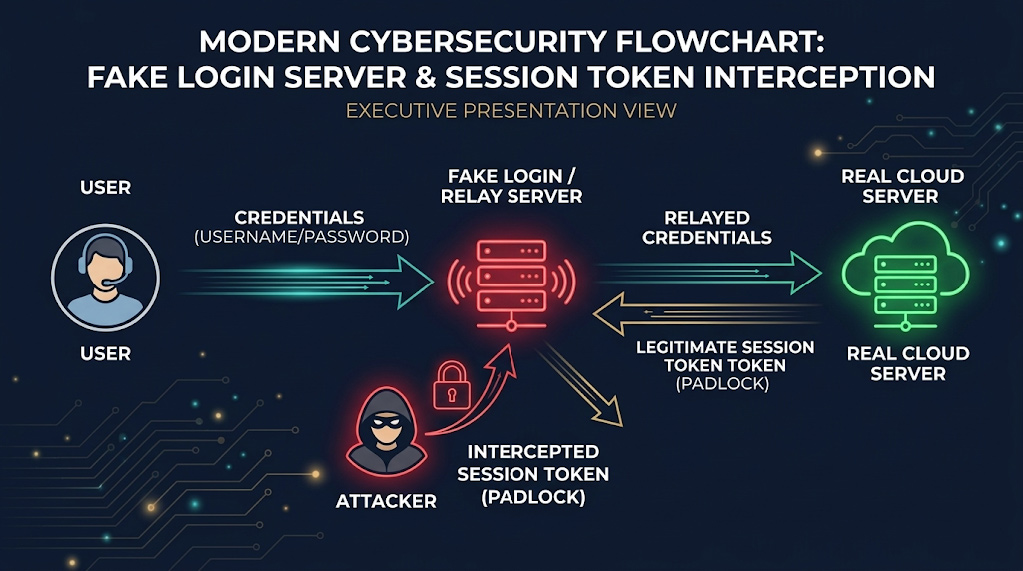
This is the most important one to understand, because many business owners believe two-factor authentication (also called MFA, or multi-factor authentication) fully protects them. For most forms of MFA, that is no longer true against this type of attack.
Here is what happens: your employee clicks the link in a phishing email and lands on a fake login page that looks identical to Microsoft 365, Google Workspace, or whatever system you use. They type their password and then approve the two-factor prompt on their phone as normal. What they do not know is that a relay system run by the attacker is sitting invisibly in the middle, capturing everything in real time and using it to log into the real system simultaneously. By the time your employee finishes logging in, the attacker already has full access.
| What actually stops this attack on MFA A newer form of two-factor authentication called phishing-resistant MFA works differently. Instead of sending you a code or a push notification, it uses either a small physical USB security key you plug in, or a passkey built into your laptop or phone (the same fingerprint or face recognition you already use to unlock your device). The key difference: this type of verification is mathematically locked to the real website address. A fake login page, even a perfect visual copy, simply cannot complete the process. If your organization has not yet moved to this type of MFA, it is the single most impactful security upgrade available right now. |
REAL-WORLD IMPACT
What happens after one employee clicks: the 72-hour takeover
The goal of AI phishing in 2026 is rarely a quick financial scam. The objective is to get inside your network quietly and work their way to full control without being detected. The following scenario shows how this typically unfolds, based on patterns seen consistently in real breach investigations. Each stage reflects documented attacker behaviour.
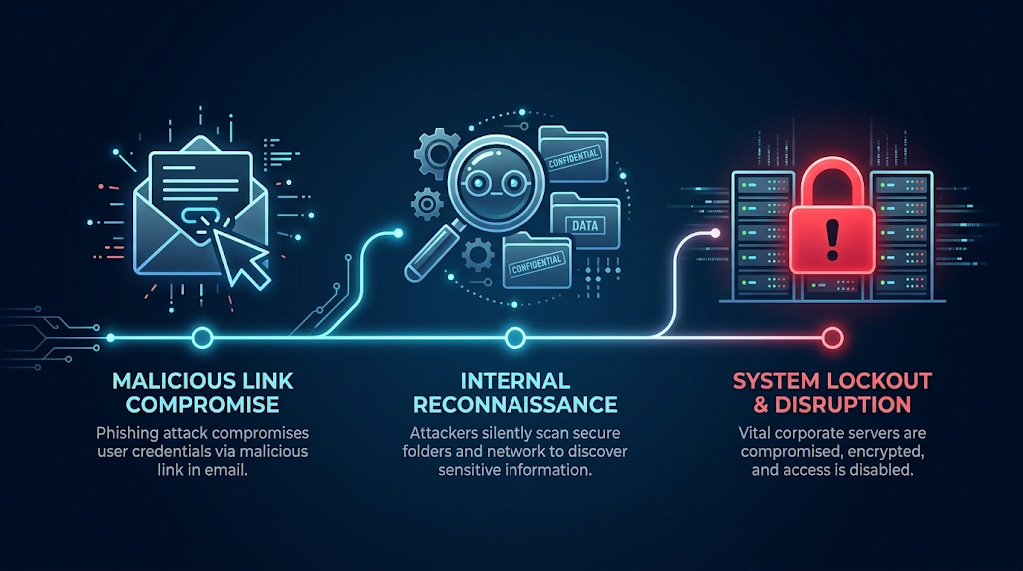
| Day 1 | The click An IT administrator receives a perfectly written email that appears to come from the CEO, referencing a real project currently underway. The link leads to what looks like a shared document login page. The administrator enters their username and password and approves the two-factor prompt. The attacker, operating through a relay system, captures both in real time and now has full access to that administrator’s accounts. |
| Day 2 | Silent searching Using that access, an automated script quietly searches through internal documents looking for stored usernames and passwords that were saved in a document rather than a secure password manager. It finds a file containing login details for several internal systems. The attacker now has the keys to move deeper into the network. Nothing alerts the security team because all of this activity looks like normal use of a legitimate account. |
| Day 3 | Full control Using the login details found on day two, the attacker moves across the network to higher-value systems. By the end of day three, they have reached the highest level of administrator access, meaning they can control every system and every account in your IT environment. They install hidden access points so they can return even if the original breach is eventually discovered. Your organization still has no indication anything is wrong. |
| The real business cost The financial damage from a breach like this is not just the immediate theft or ransom. It is the weeks of downtime, the cost of a forensic investigation (hiring specialists to trace exactly what the attacker accessed and how), the legal requirement to notify affected customers and regulators, the reputational damage, and the cost of rebuilding compromised systems. The earlier an intrusion is detected, before the attacker reaches your most critical systems, the smaller the damage and the faster the recovery. |
THE DEFENCE
7 steps to defend your organization against AI phishing
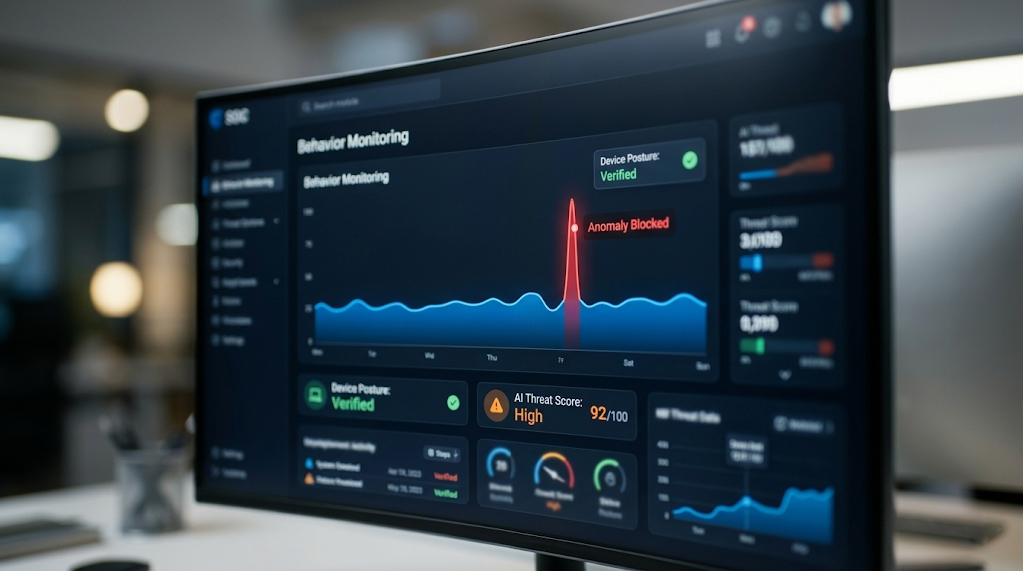
Static rules cannot stop AI-generated threats. The defences that work in 2026 evaluate context and behaviour in real time, layer multiple detection methods, and treat unusual patterns as warning signs before damage occurs. Here is what that looks like in practice, explained for business leaders rather than IT teams.
1. Add AI threat detection to your email screening
Your email security needs to do more than check whether a sender is on a known bad list. It needs to analyze the language of incoming messages and score the likelihood that the email was written by a machine. AI-generated text often has consistent structural patterns that differ from how real people write, and a growing category of email security tools is designed to detect those patterns. No detection tool is perfect, but adding this layer meaningfully raises the cost and difficulty for attackers.
2. Connect your email security to your device monitoring
Attackers rely on your security tools working independently of each other. If your email system and your device monitoring system share information, unusual behaviour becomes much easier to spot. For example: if a suspicious email arrives and the recipient immediately opens an unusual application seconds later, a connected system can isolate that device automatically. A system where those two tools do not communicate sees two unrelated events and flags neither.
3. Watch for deepfake voice calls, not just emails
AI phishing now extends beyond email. Attackers use AI-generated voice calls to follow up on a phishing email, adding a layer of apparent legitimacy. Someone may receive an email from the “CEO” and then a phone call from a voice that sounds convincingly like the CEO confirming the request. Some enterprise communications platforms are beginning to offer detection for synthetic voice audio. If yours does not yet, the practical defence is a verbal verification protocol: any request involving money, access, or sensitive data requires a separate callback to a known number before anyone acts on it.
4. Route high-risk requests through a human review step
For communications that trigger security flags, such as an unusual financial request, an email from an executive asking for something out of the ordinary, or a message that scores high on AI detection tools, establish a protocol where those emails are held for a brief human review before reaching the recipient. A 15-minute delay on a suspicious email costs nothing. Approving a fraudulent wire transfer costs everything.
5. Verify the device before allowing access
Before any link in an email is allowed to open, verify that the device being used meets your security requirements. If the device has not run a recent security update or fails a health check, the link does not open. Full stop. This stops the attack at the moment of click, the most critical point in the chain, rather than relying entirely on the employee making the right decision.
6. Learn what normal looks like so you can spot what is not
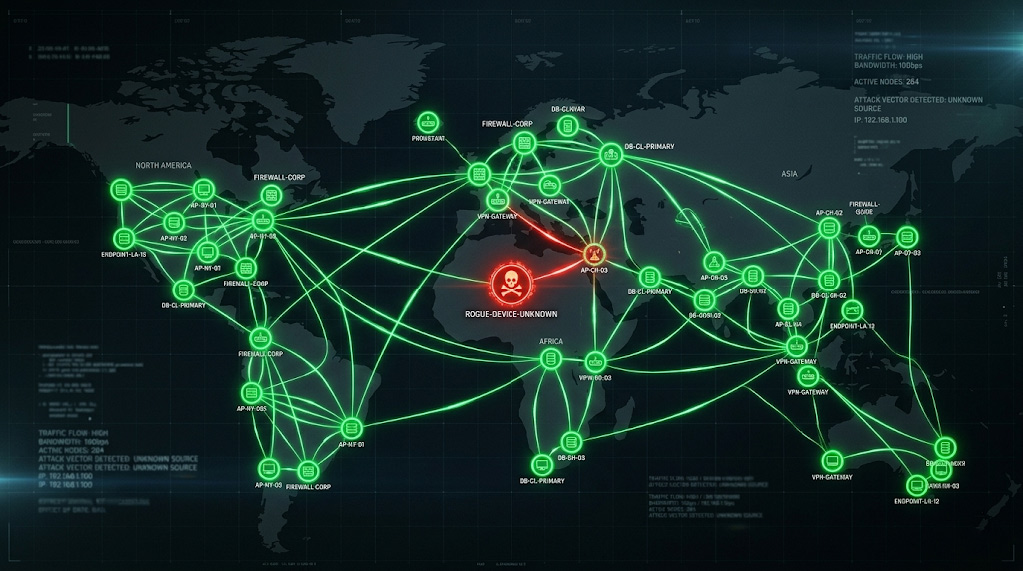
Behaviour monitoring systems build a picture of normal activity for every user in your organization over time: what hours they typically work, what systems they access, what devices they use, and what kinds of requests they normally make. When something falls outside that pattern, for example an executive sending a sensitive financial request from an unrecognized device at 2am, the system flags it automatically before the message reaches its target.
| Plain language: what is a behaviour monitoring system? Think of it like a bank’s fraud detection system. Your bank knows your normal spending patterns and calls you when something unusual happens, even if the card and PIN are correct. A behaviour monitoring system does the same thing for your network: it learns what normal looks like and alerts your security team when something does not fit. |
7. Train your staff regularly with realistic simulations
Annual security training is not enough anymore. Attacker techniques evolve continuously, and staff need regular exposure to realistic examples, not a single presentation once a year. The most effective approach is to run regular phishing simulations against your own staff using the same AI techniques attackers use. When an employee falls for a simulation, they receive immediate training right at that moment, not six months later in an annual presentation. Over time, this builds genuine instincts rather than checkbox compliance.
| CISA guidance alignment CISA (the US Cybersecurity and Infrastructure Security Agency) and its Canadian counterpart, the Canadian Centre for Cyber Security (CCCS), both emphasize that defending against AI-driven threats requires continuous, multi-layered monitoring combined with human review processes. The seven steps above reflect that guidance applied to the specific threat profile facing mid-market organizations. |
COMMON QUESTIONS
Frequently asked questions about AI phishing
How do AI-generated phishing emails get past spam filters?
They eliminate all the signals that spam filters are built to catch. No spelling errors. No suspicious links to known bad websites. No alarming language. They are written in natural, professional language and often come from email addresses that belong to real companies you already work with. Legacy filters have no reliable way to distinguish them from legitimate emails.
What exactly is a deepfake email?
A deepfake email is a message written by artificial intelligence that is designed to look and sound exactly like it came from someone you trust: your CEO, your CFO, your IT department, or a supplier you work with regularly. The AI is trained on real communications from your organization, so it mimics the tone, vocabulary, and writing habits of real people at your company.
Does two-factor authentication (MFA) protect us from these attacks?
Standard two-factor authentication, where you receive a text message code or approve a push notification on your phone, does not protect against the most advanced AI phishing attacks. Attackers use a relay system that captures your password and your approval in real time and uses both immediately to log into your actual account. The type of two-factor authentication that does stop this attack is called phishing-resistant MFA. It uses either a small physical USB key you plug into your device, or a passkey, which is the fingerprint or face recognition already built into your laptop or phone. If you are still using standard MFA, upgrading is the highest-priority action you can take today.
What is the most important thing we can do right now?
Two things, in priority order. First, upgrade your two-factor authentication to phishing-resistant MFA (passkeys or hardware security keys) if you have not already done so. Second, ensure your email security and device monitoring systems are connected and sharing information with each other, not operating as separate tools that do not communicate. These two steps address the most common entry point and the most common detection gap in mid-market organizations.
How fast can an attacker take control of our network after one employee clicks?
Based on patterns seen in real breach investigations, a well-prepared attacker using automated tools can go from a single employee click to full control of your network in 48 to 72 hours. The most valuable targets are IT administrator accounts and system service accounts, because they have access to more of the network and require fewer steps to reach your most critical systems.
NEXT STEPS
The threats have changed. The defences need to match.
The organizations that suffer the most damaging breaches in 2026 are not always the ones facing the most sophisticated attackers. They are often the ones that simply have not updated their defences to match the current threat landscape.
AI has made targeted phishing cheap, fast, and scalable. A company your size is now just as viable a target as a major enterprise, and the attacks are just as convincing. The question is not whether your organization will be targeted. It is whether your defences will hold when it happens.
The seven steps in this guide are not theoretical. They are the same framework Arann Tech uses to protect mid-market organizations across North America. The two most urgent actions: upgrade to phishing-resistant MFA, and connect your email security to your device monitoring. Those two changes close the most common attack path.
If you are not sure where your current defences stand, a phishing vulnerability assessment will tell you in plain terms what is working, what is not, and what needs to change first.
Schedule Your Free Phishing Vulnerability Assessment
SOURCES
Sources and Further Reading
MITRE ATT&CK. Phishing: Spearphishing Link, Sub-technique T1566.002. attack.mitre.org/techniques/T1566/002/
CISA, NSA, FBI et al. Best Practices Guide for Securing AI Data. May 2025. cisa.gov
CISA and ASD ACSC (Australian Signals Directorate Australian Cyber Security Centre). Principles for the Secure Integration of Artificial Intelligence in Operational Technology. December 2025. cisa.gov
NIST. Artificial Intelligence Risk Management Framework (AI RMF 1.0). National Institute of Standards and Technology, 2023. nist.gov
Microsoft Threat Intelligence. Staying Ahead of Threat Actors in the Age of AI. February 2024. microsoft.com
Guardio Labs and Proofpoint. Echospoofing: Mass Email Spoofing via Misconfigured Email Protection Services. July 2024. labs.guard.io/echospoofing
About the Author
This article was written by the Arann Tech CISO Advisory Team. Arann Tech is a managed cybersecurity firm protecting mid-market organizations across the US and Canada, specializing in data backup and resilience, merger and acquisition security, managed threat detection, and physical security. For questions about your organization’s phishing exposure, contact the team at aranntech.com.